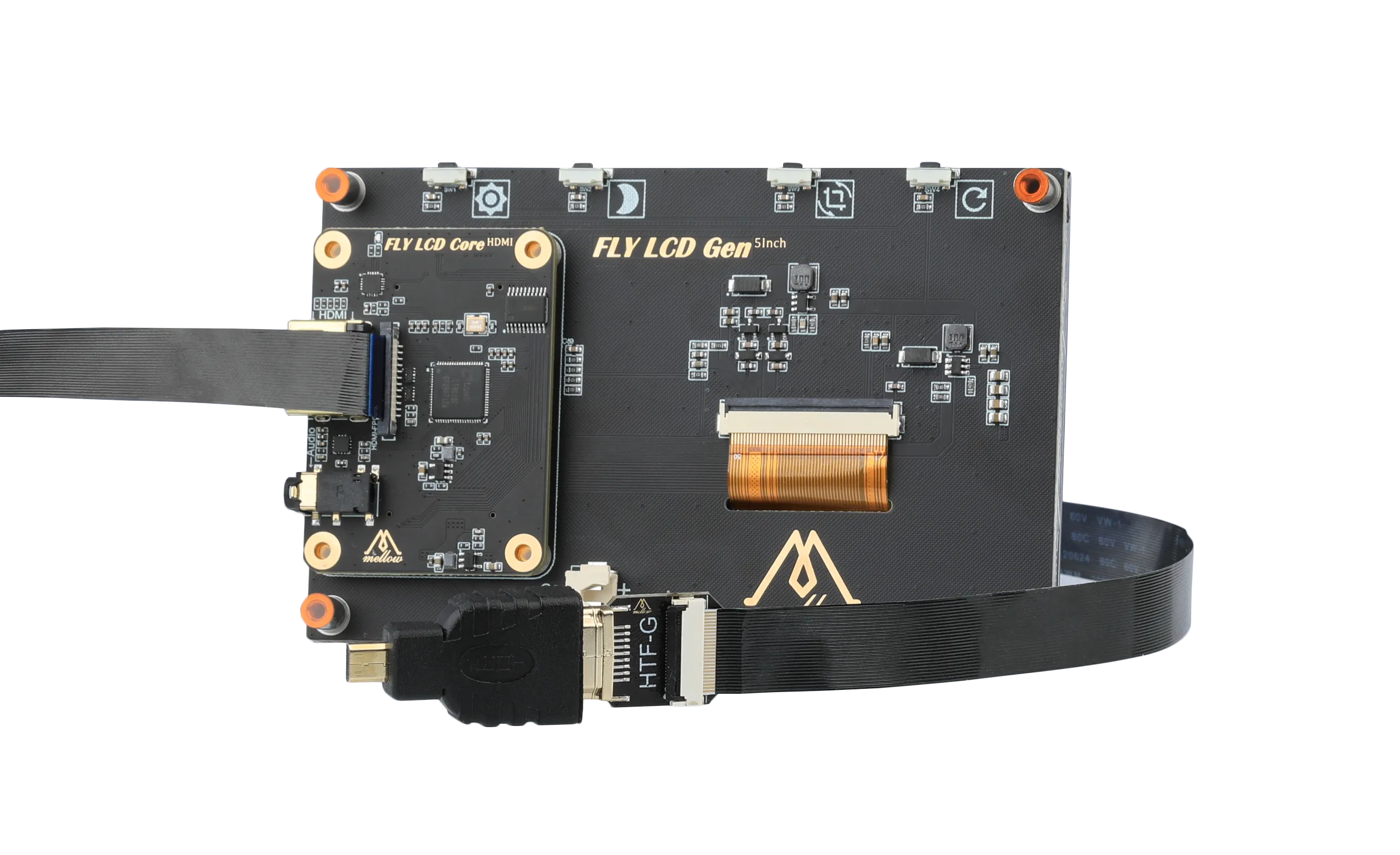
Screen Wiring and Configuration
info
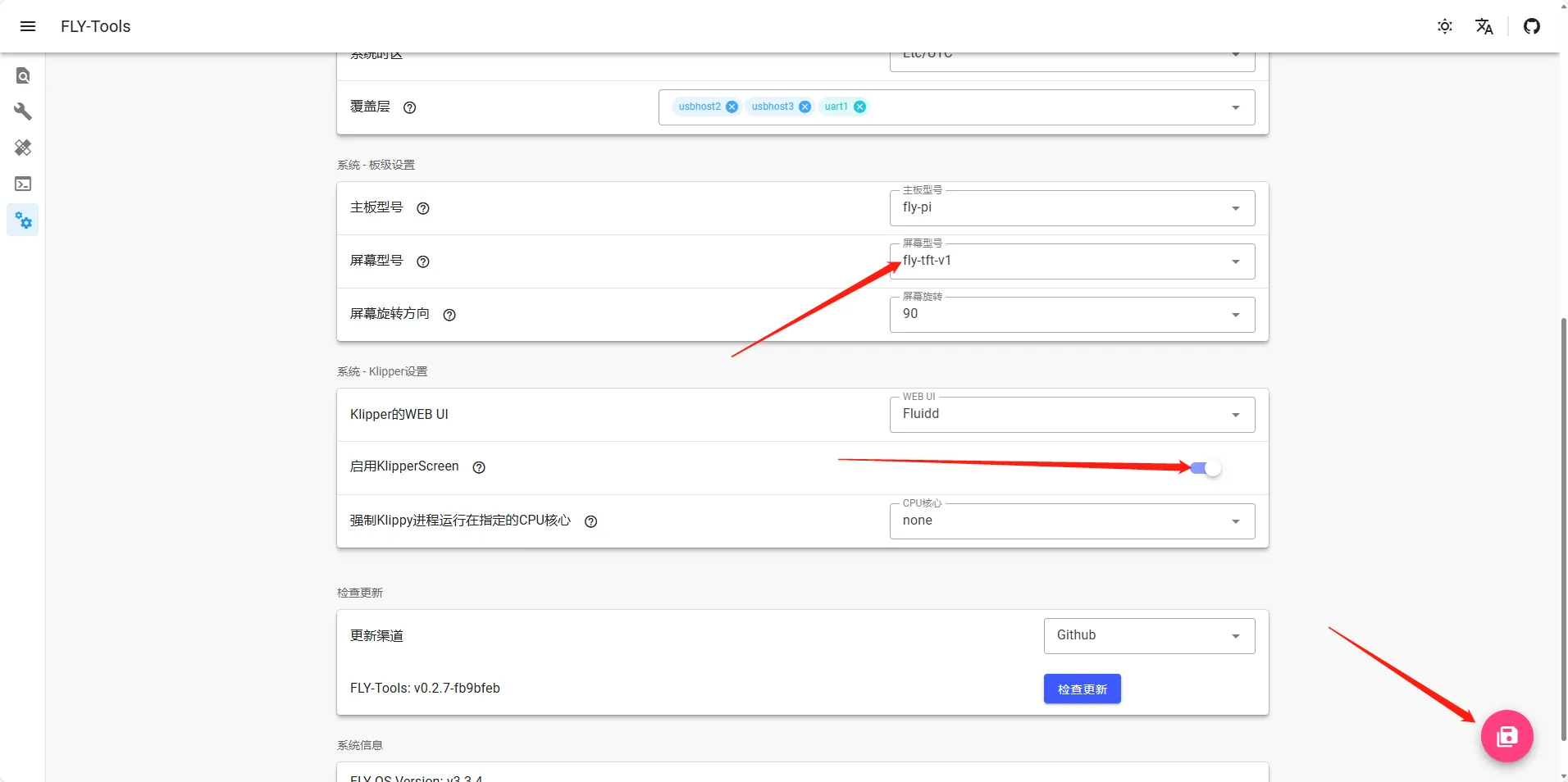
- FLY-TOOLS needs to be connected to the network, then input the
IP+:9999of the host machine to access - For example,
192.168.6.110:9999
- TFT Wiring
- HDMI Wiring
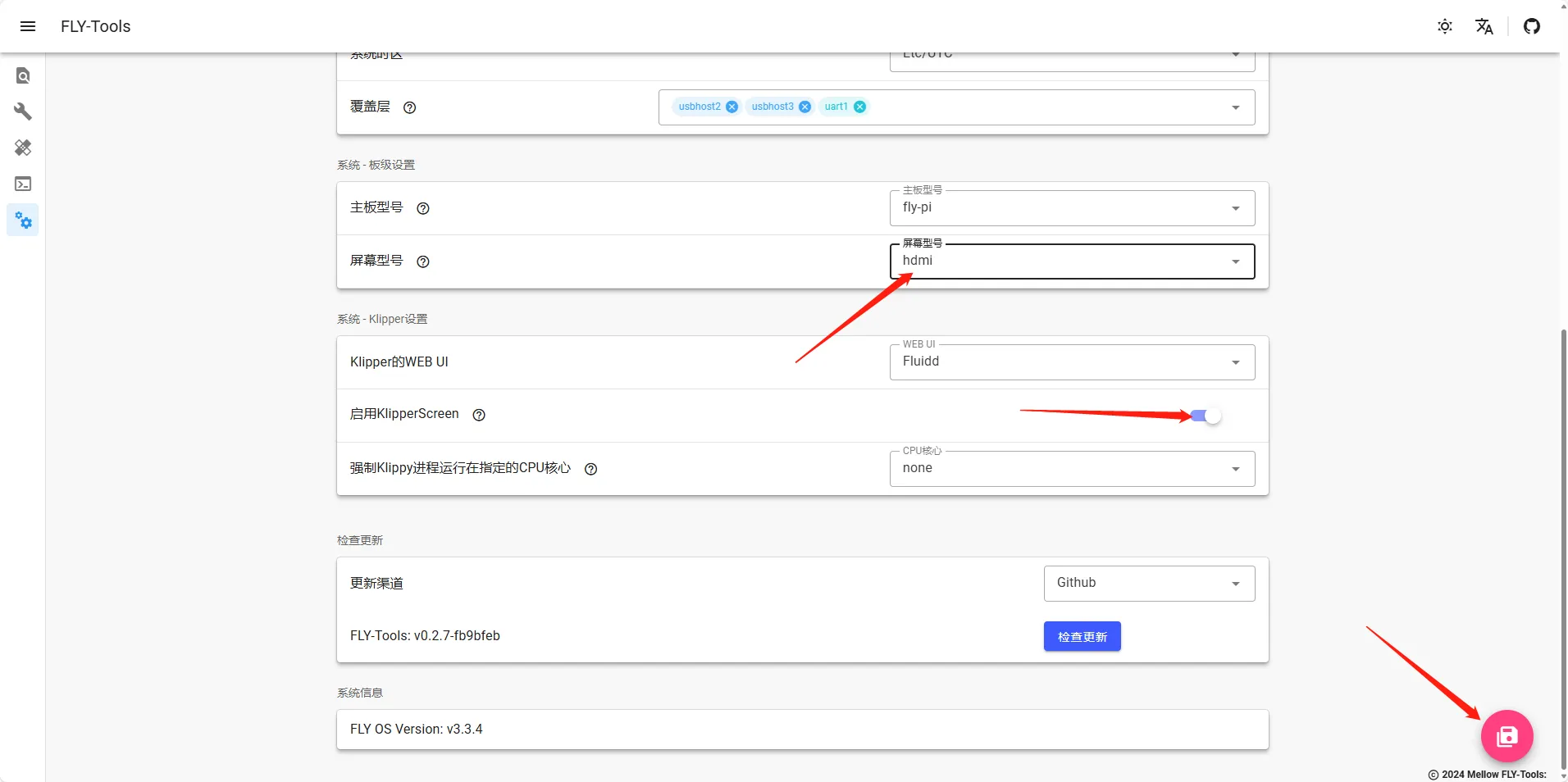
- You need to configure the screen according to the instructions below in FLY TOOLS and turn on KS
- FLY-Pi TFT screen wiring
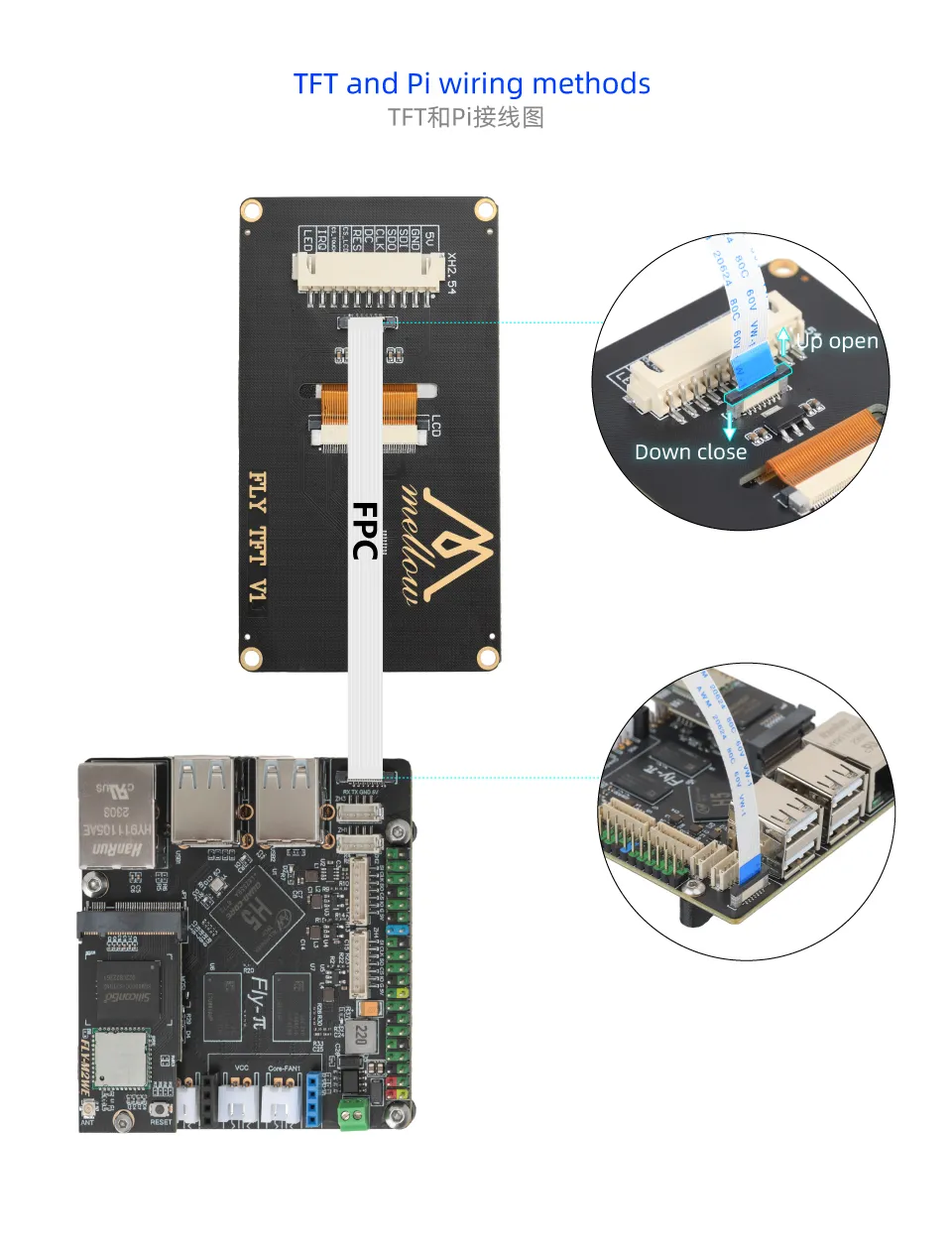
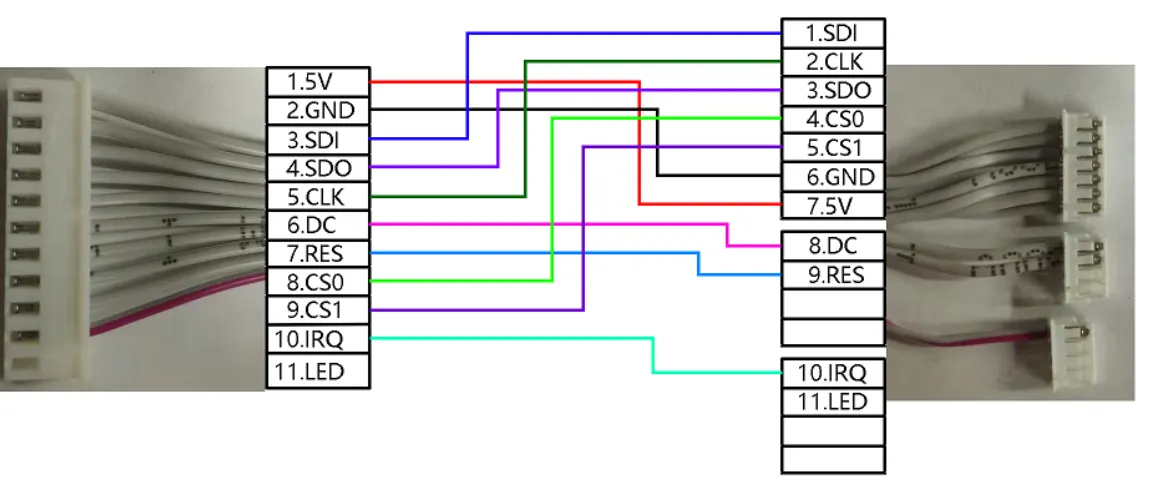
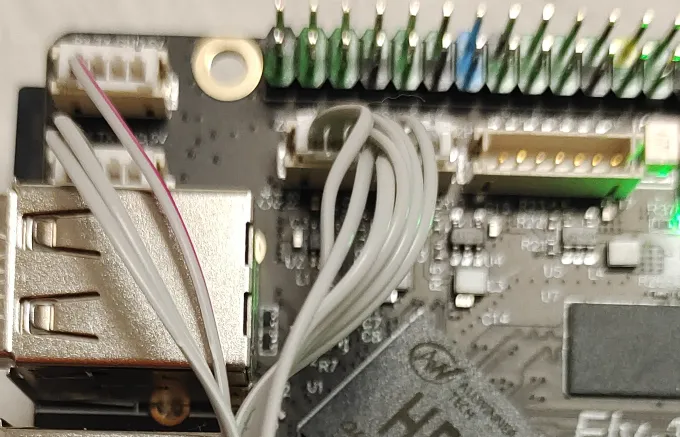
- You need to configure the screen according to the instructions below in FLY TOOLS and turn on KS
- Use an FPC to HDMI module
- Please note that you need to connect a Type-C cable with data transmission function to the module