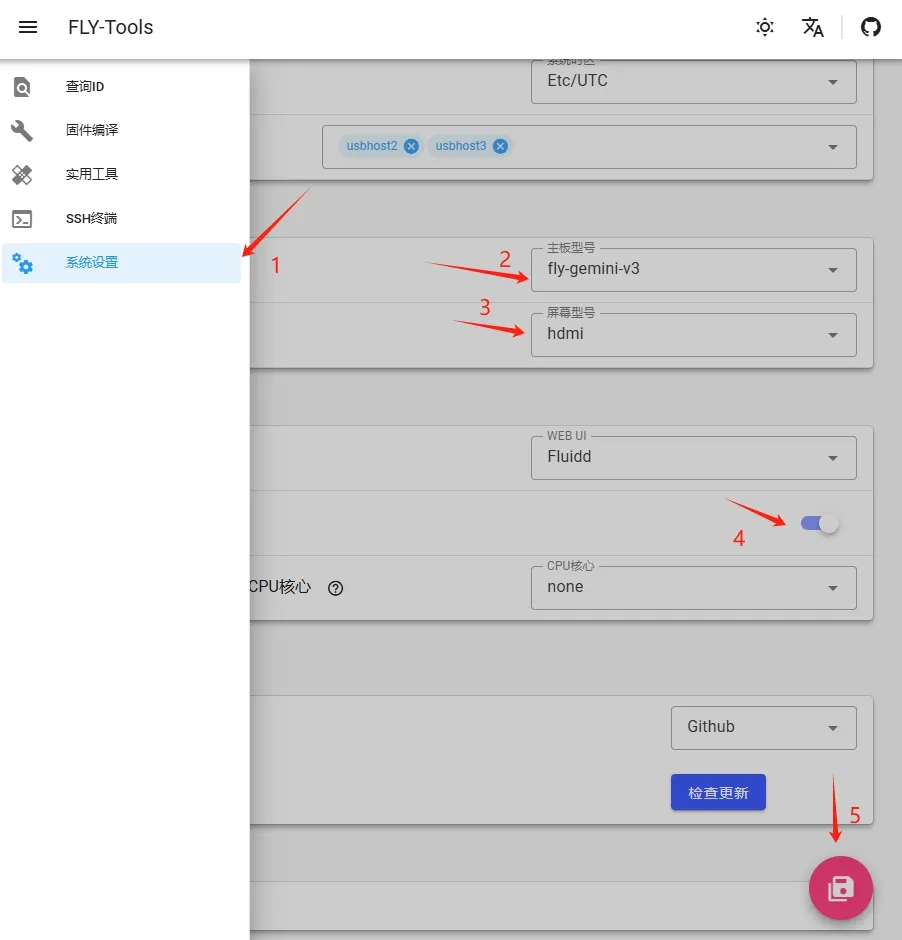
Screen Parameter Modification Tutorial
tip
Open your IP:9999 in the browser to access FLY-Tools
tip
The HDMI port on the FLY upper computer is Micro HDMI, please pay attention when purchasing HDMI cables!!!
tip
FLY's upper computer supports FPC one-line communication with FLY-PI-V2, FLY-C8, FLY-PRO-X10, or FLY_LITE2/2.1
- To enable the screen, you need to turn on the options below
- After entering FLY Tools
- The first step is to enter fly_TOOLS to modify parameters
Diagram
HDMI Wiring Diagram
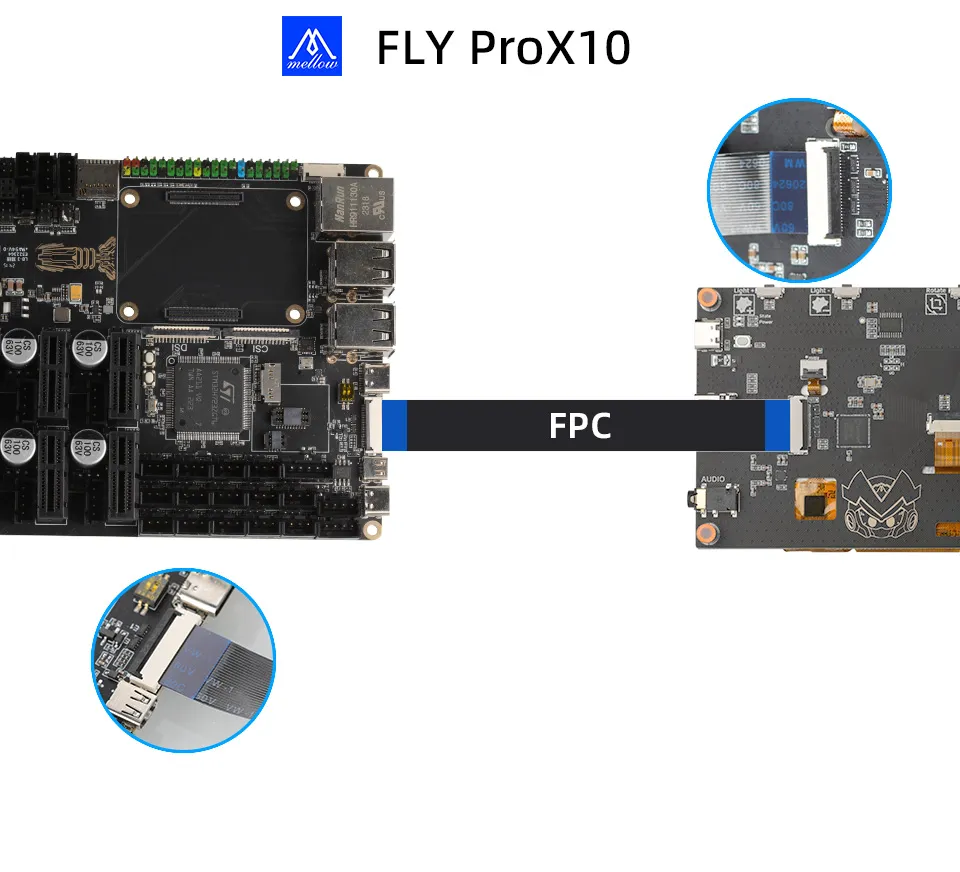
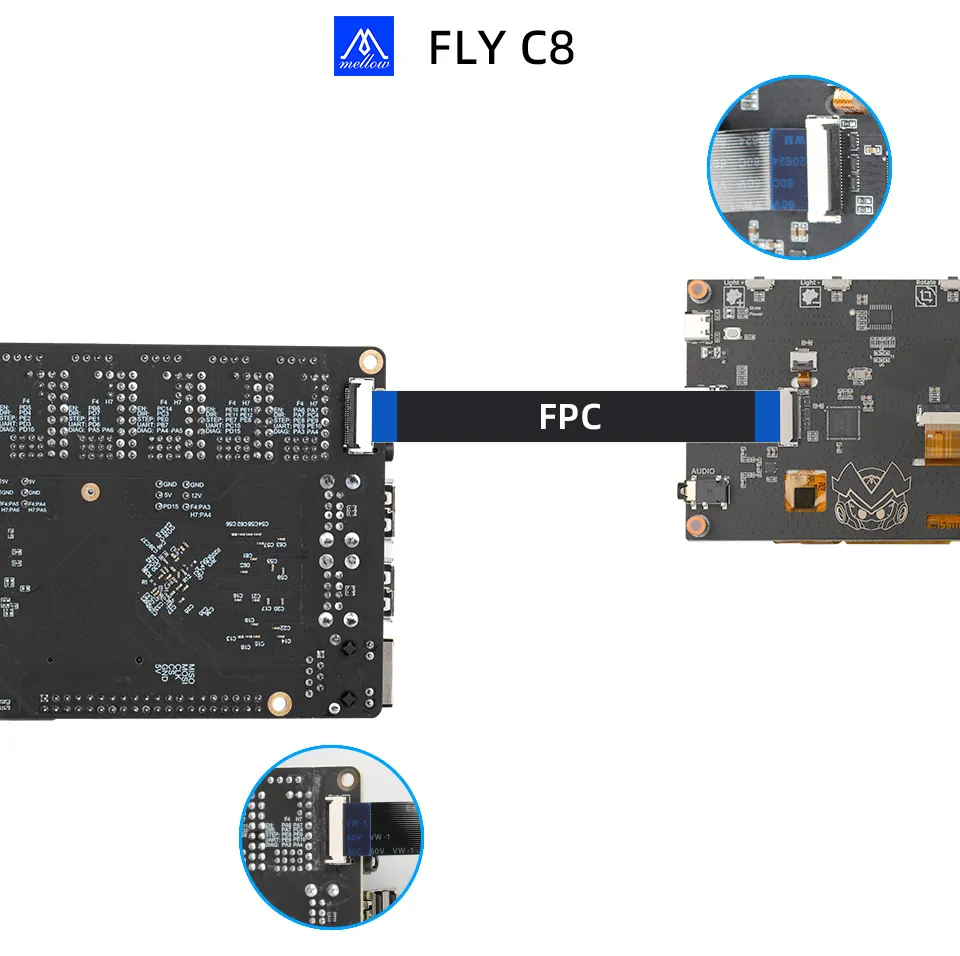
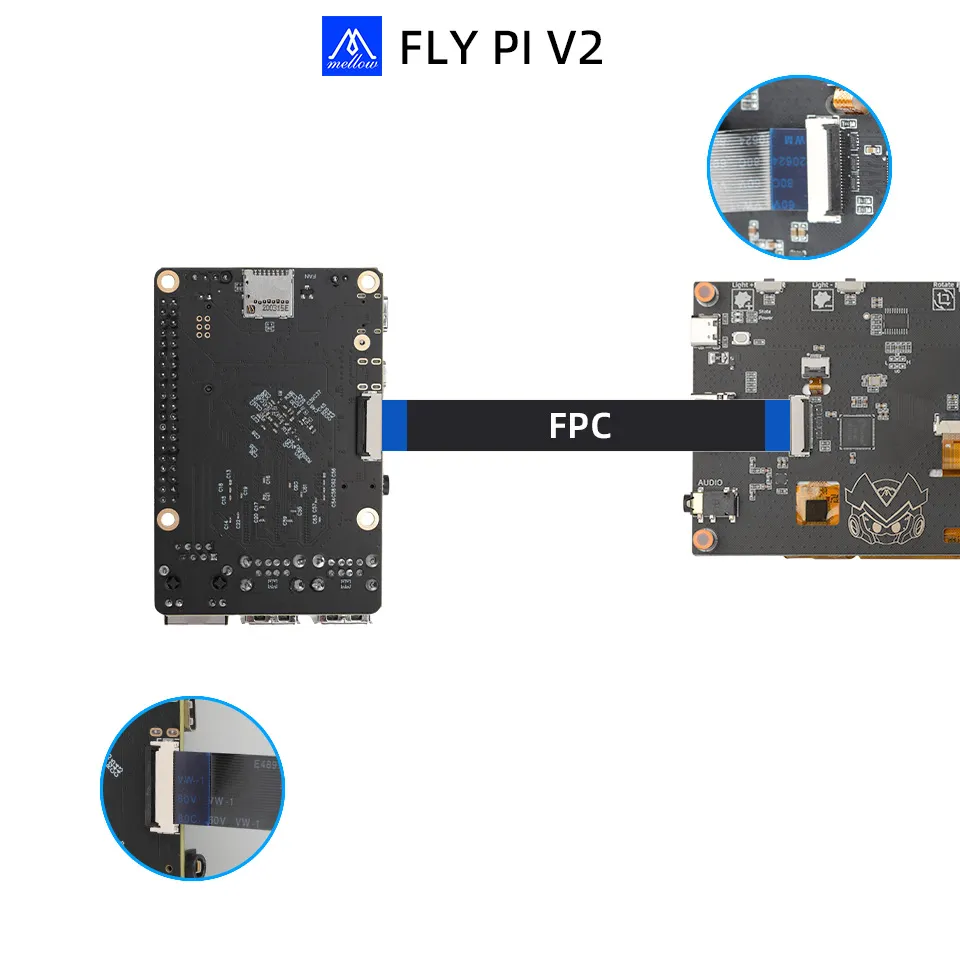
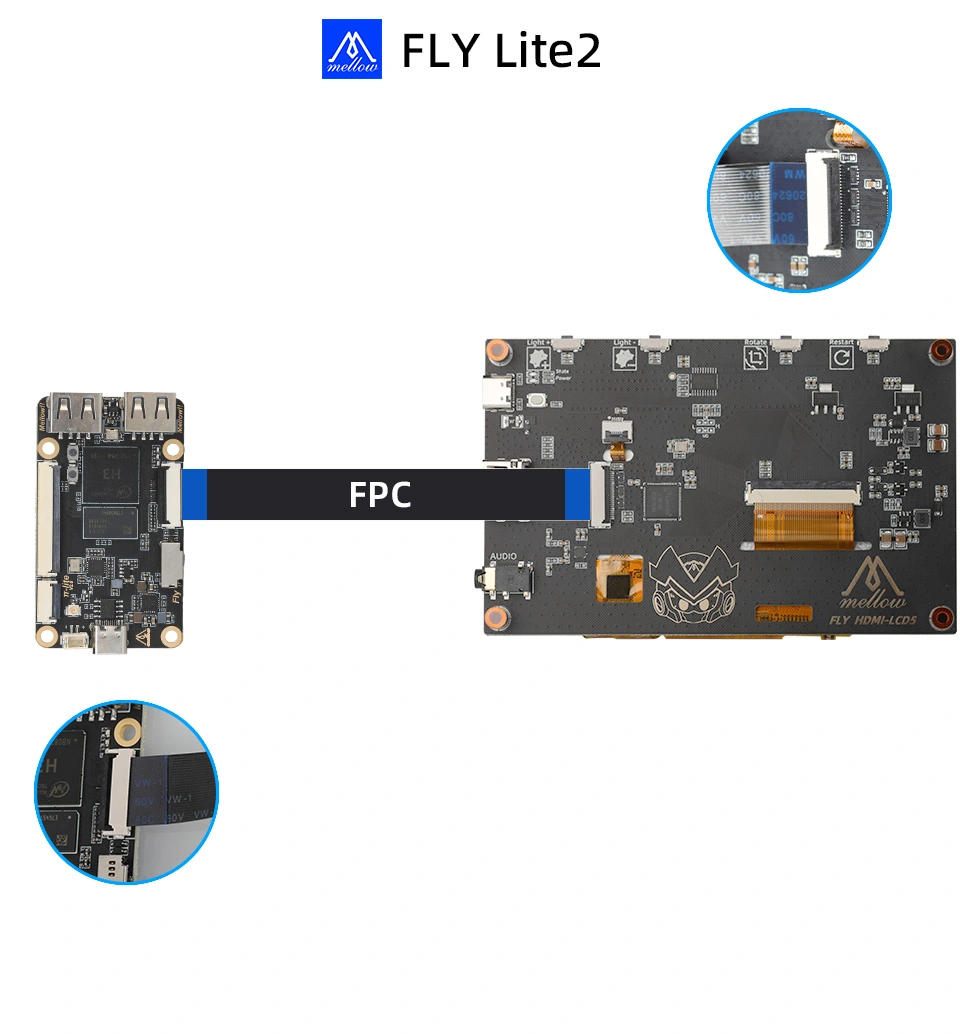
- Parameter Modification Diagram
tip


- Continue to modify and save according to the diagram
- FLY_LITE2
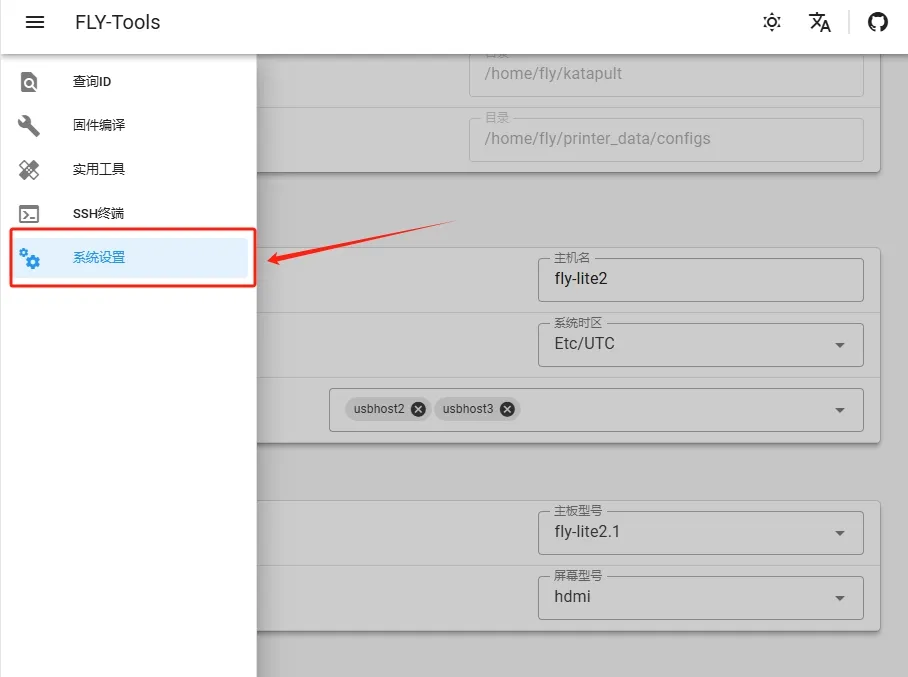
- FLY_LITE2.1

- FLY-C8
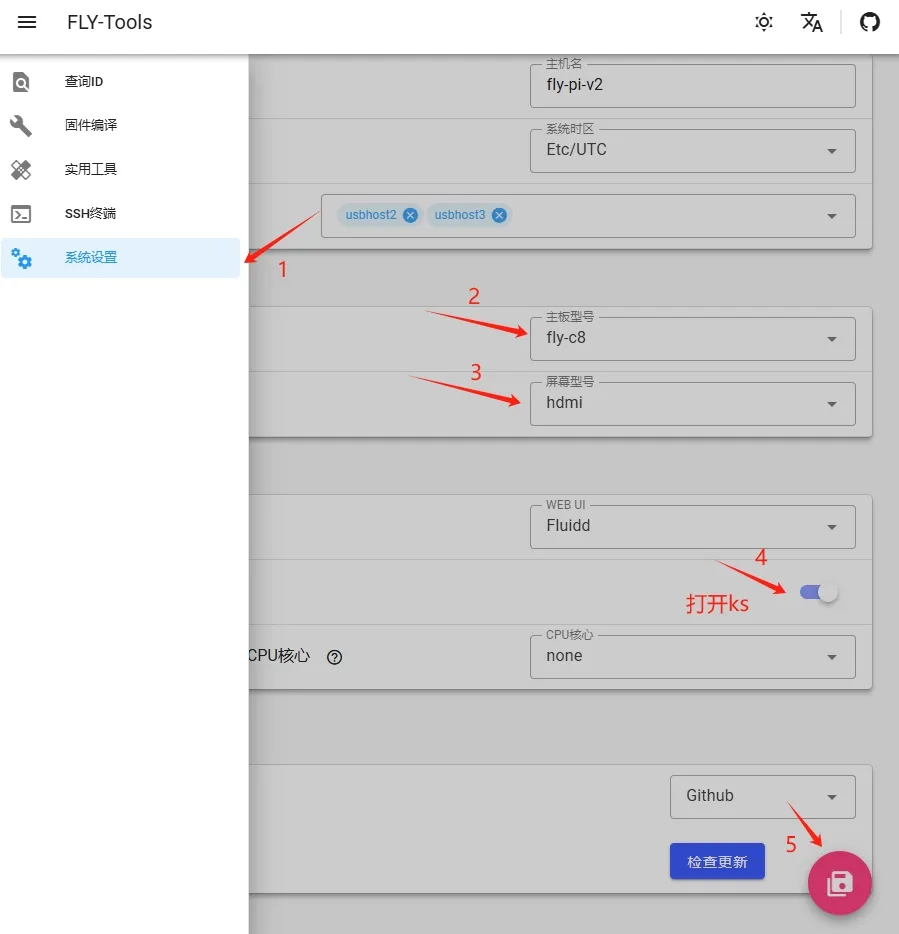
- FLY-PI-V2
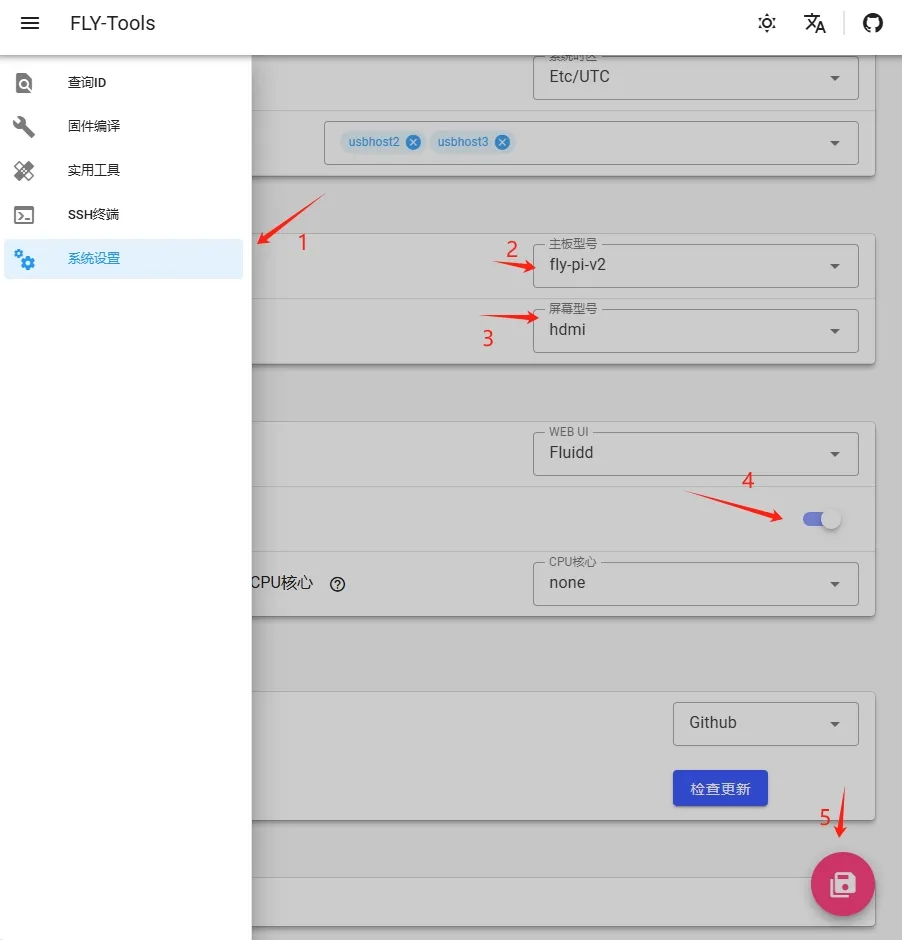
- FLY-gemini-v3