USB Bridge CAN Firmware Flashing
Start Compiling
- You need an upper computer with the
klipperservice installed Connect via SSH over the network - And make sure the device is connected to the upper computer
- Note: Please use a regular upper computer, such as a Raspberry Pi FLY board, etc. If you are using a modified upper computer, we cannot provide much assistance due to too many issues.
- Do not use the
ROOTuser
- 请确保上位机可以正常联网
- 固件编译前需要使用SSH通过网络登录上位机
- 请不要使用串口工具登录上位机
Klipper固件编译和配置页面操作说明
请确保键盘输入法为半角模式,即英文模式
- 键盘上键
↑,下键↓,用于上下移动光标来选中菜单项 - 确认键
Enter或 空格键Space,用于勾选菜单或进入子菜单 - 退出键
ESC,用于返回上一级菜单 Q键,用于退出Klipper固件配置页面Y键,在退出Klipper固件配置页面时,如果有提示,则点击Y键保存配置文件
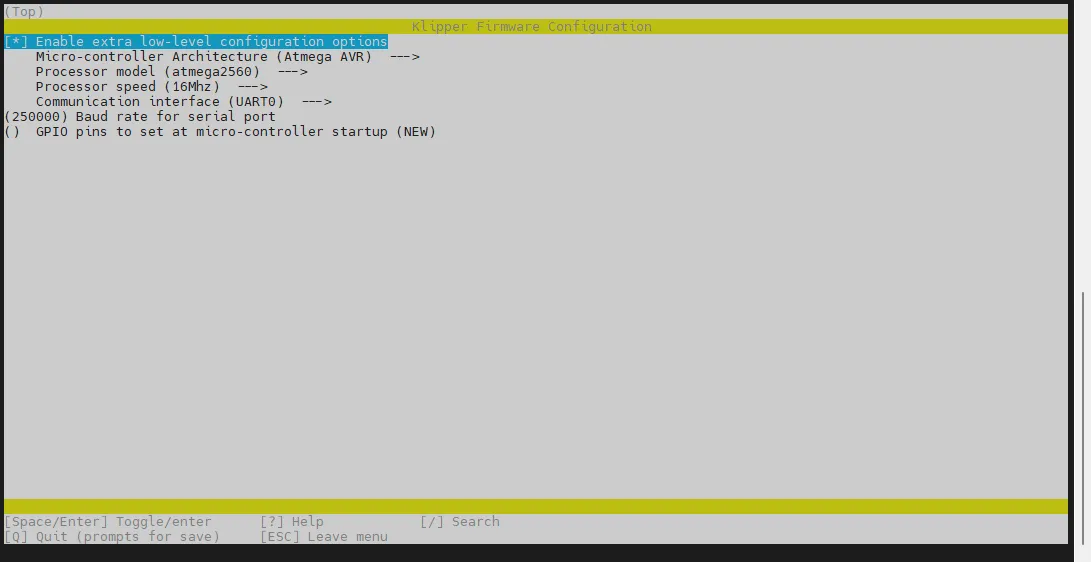
如果配置页面选项比较少,请先勾选[ ] Enable extra low-level configuration options,用于显示部分隐藏选项
Here's how to compile the firmware:
-
Connect to SSH and enter the following command, then press Enter:
cd ~/klipper && rm -rf ~/klipper/.config && rm -rf ~/klipper/out && make menuconfig -
Here,
rm -rf ~/klipper/.config && rm -rf ~/klipper/outdeletes previous build data and firmware, whilemake menuconfigcompiles the firmware. After execution, the following interface should appear: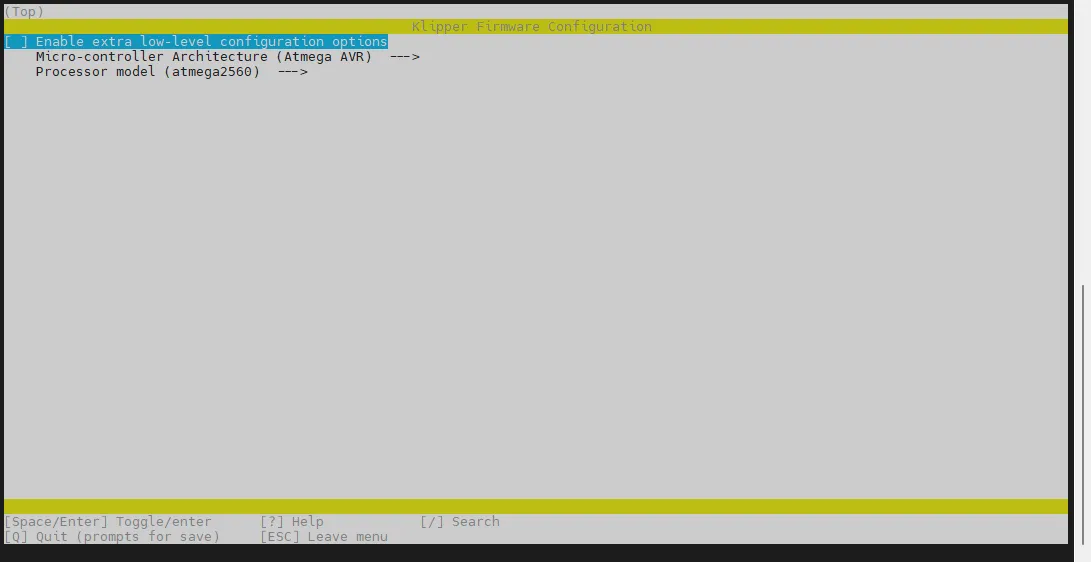
-
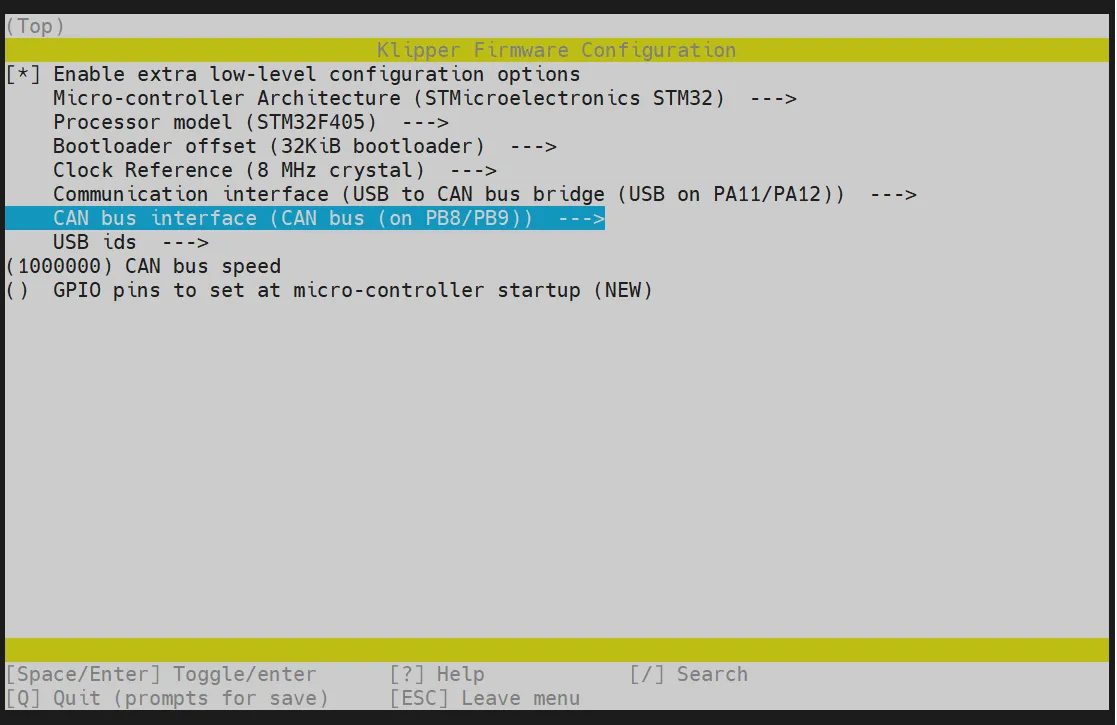
Select Enable extra low-level configuration options and press Enter
-
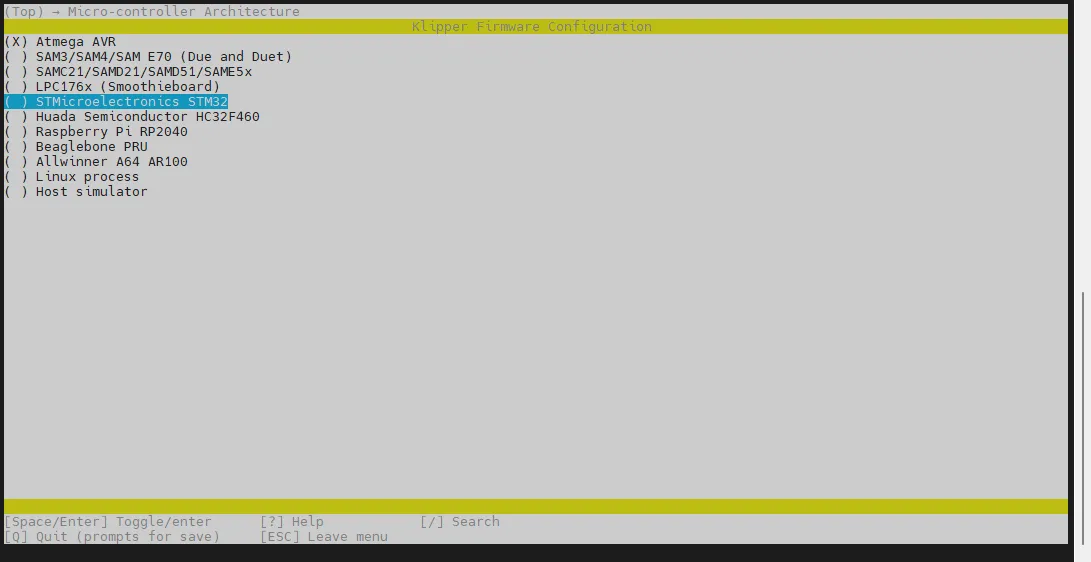
Enter the Micro-controller Architecture menu, then choose STMicroelectronics STM32 and press Enter
Updating images
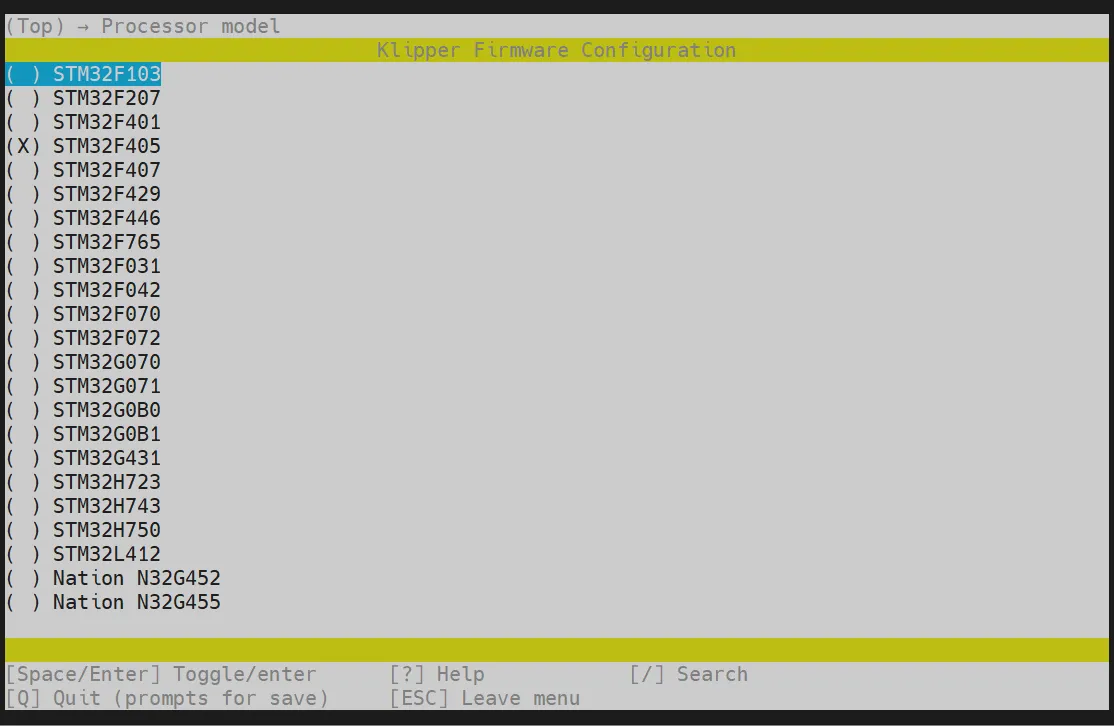
- Enter the Processor model menu, select STM32F405 and press Enter
-
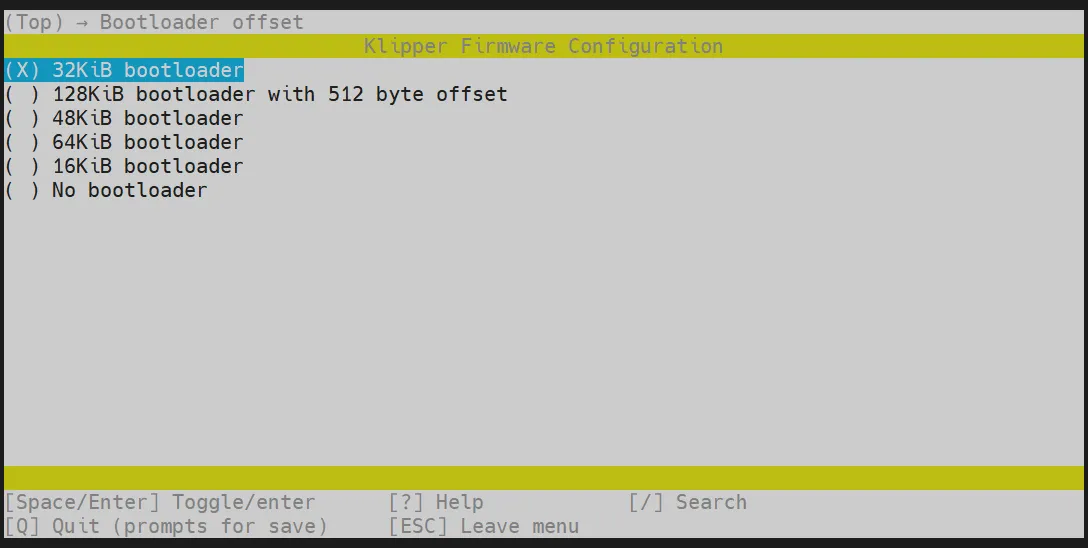
Select Bootloader offset, choose: 32KiB bootloader
-
Select Communication interface, choose: USB to CAN bus bridge (USB on PA11/PA12)
-
Select CAN bus interface (CAN bus (on PB8/PB9)) ---> as shown in the image
-
Press
Qkey, when Save configuration appears, then pressYkey
-
Now the configuration should be saved and you should be back at the command line interface
-
Enter
make -j4to start compiling, it will take some time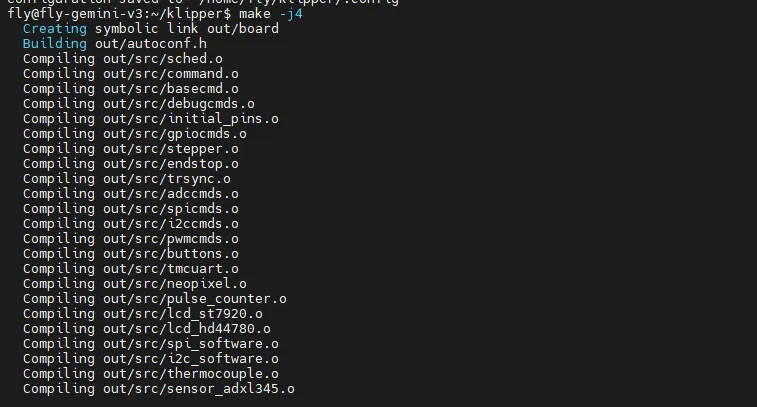
-
When the following content is output, the compilation was successful
Linking out/klipper.elf
Creating hex file out/klipper.bin
Firmware Flashing
Execute the following command to flash the firmware
sudo fly-flash -d gemini-v3 -h -f ~/klipper/out/klipper.bin
Flash the Firmware
- DFU Flash
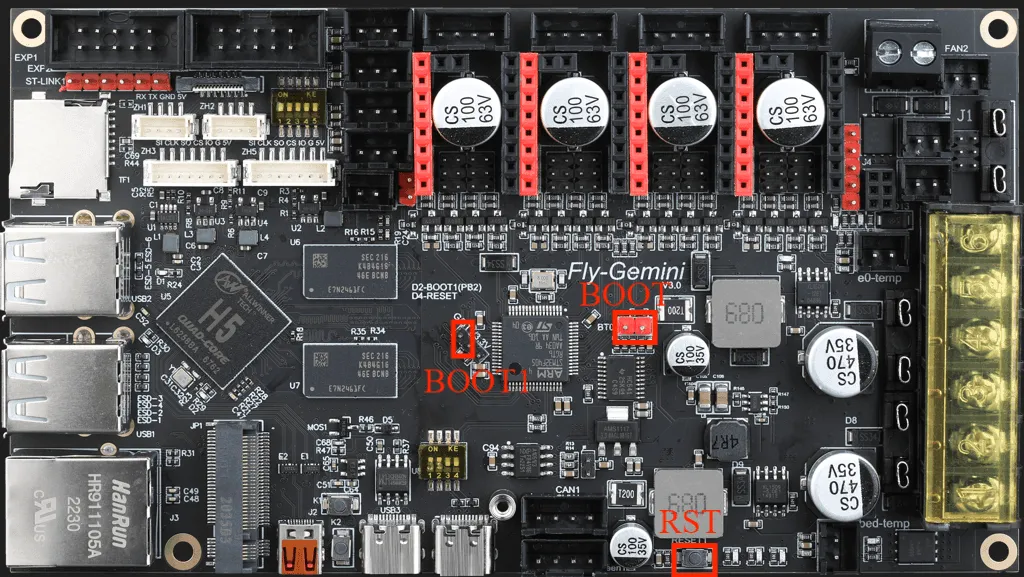
- Follow the picture below to insert the jumper cap for
boot1then pressrstto restart the motherboard
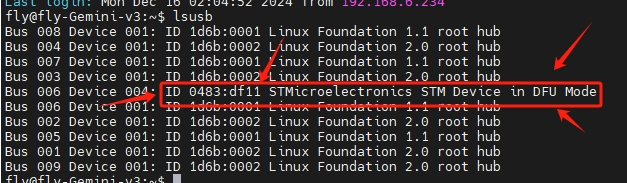
- Enter the command below to check if the motherboard has entered DFU mode
lsusb
- After entering and pressing
Enter, the following content will be output. The content in the picture indicates that the motherboard has successfully entered DFU mode.
- Flash the Firmware
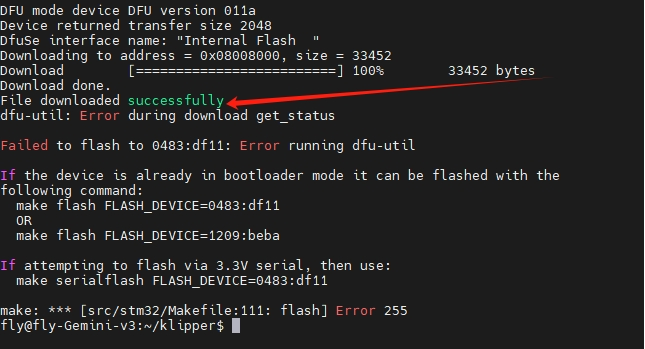
- Here are the DFU flashing commands
cd ~/klippermake flash FLASH_DEVICE=0483:df11
- If the content at the arrow in the following picture appears,
File downloaded successfully, then the flashing was successful
Please ignore the error after the line indicated by the red arrow!!!
After flashing is complete, remove the motherboard jumper cap and press the rst button on the motherboard to restart it.